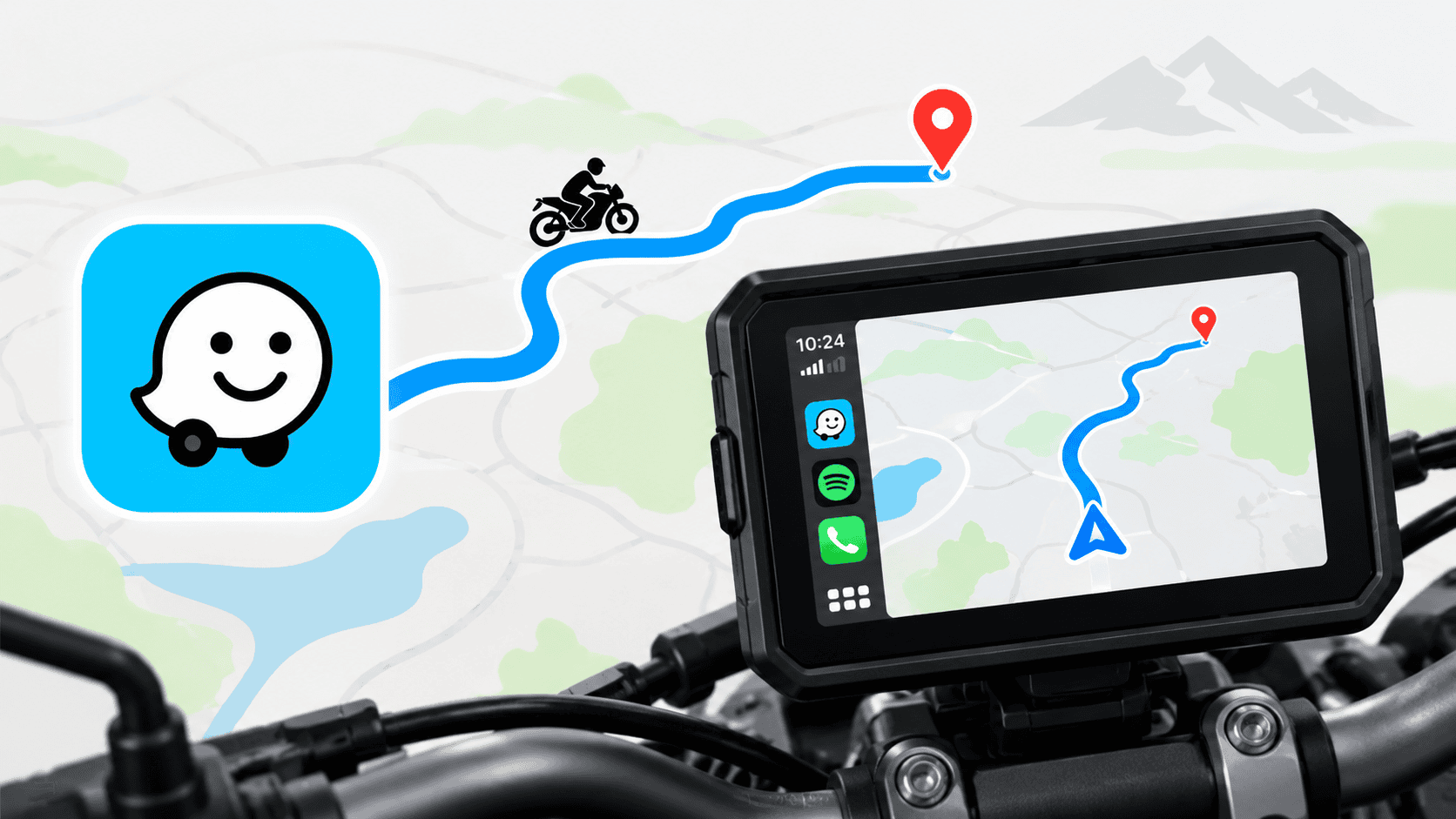
Most motorcycle navigation displays use Android Auto or Apple CarPlay to mirror navigation apps from your smartphone. However, apps such as Google Maps may not always provide a dedicated motorcycle route option through Android Auto or CarPlay.
For those embarking on long-distance rides or exploring unfamiliar territories, having a reliable navigation system is crucial. The benefits extend beyond just getting from point A to point B; they encompass route optimisation, safety considerations, and real-time updates that can significantly enhance your riding experience.
This can become a problem when riding on highways or roads where two-wheelers are restricted, as the navigation may select a route intended for four-wheelers.
For instance, when navigating through a city, a motorcycle may be able to use smaller, more direct roads that cars typically avoid. This not only saves time but can also make the ride more enjoyable. Furthermore, many motorcycle-specific navigation apps consider the unique needs of two-wheeler riders, such as avoiding heavy traffic areas, toll roads, and providing alerts about potential hazards specific to motorcycles, such as road debris or potholes.
Use Waze for Motorcycle-Specific Routes
Additionally, using Waze allows riders to benefit from the app’s community features, where other users can report accidents, traffic issues, or road closures. This real-time information is invaluable for motorcyclists who need to make quick decisions on the road to ensure both their safety and enjoyment during their journey.
One simple solution is to use the Waze navigation app on your smartphone.
Waze also has a user-friendly interface that simplifies the process of finding and selecting routes. With its interactive map, riders can easily visualise their path and make adjustments as necessary. This flexibility is especially beneficial during long rides, allowing for spontaneous detours to discover new and exciting routes.
Waze is free to download and use, and it provides a Motorcycle vehicle option.
To enhance your riding experience further, consider personalising your Waze app settings. For example, you can adjust the voice navigation to suit your preference or enable notifications for nearby fuel stations, which is particularly useful on longer trips where fuel availability might be uncertain.
How to enable motorcycle mode in Waze:
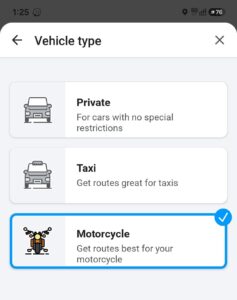
- Install Waze on your smartphone.
- Open the Waze app and go to Settings.Make sure to regularly check for app updates as well, as these updates can introduce new features, improve functionality, and ensure that you have the best navigation experience possible. A well-maintained app provides enhanced performance and security, which is especially important when relying on it for navigation during rides.
- Select Navigation or Vehicle Type.Moreover, for riders unfamiliar with a certain area, it’s advisable to plan routes ahead of time. Waze allows you to pre-set favourite routes or save locations such as your home or frequently visited spots. This can save time and make navigation smoother when you’re out on the road.
- Choose Motorcycle as your vehicle type.
- Connect your smartphone to your motorcycle navigation display using Android Auto or Apple CarPlay.Additionally, connecting your smartphone to your motorcycle display not only facilitates navigation but also allows you to access music and communication apps, ensuring an enjoyable ride without distractions. Make sure to set these up before you start your journey to maintain focus on the road.
- Start your navigation and Waze will calculate routes based on your selected vehicle type.
With Motorcycle selected, Waze can take motorcycle access into consideration when calculating your route, helping you avoid roads that are restricted to four-wheelers.
Through the motorcycle setting, Waze can identify shortcuts and alternative routes that may be overlooked by standard navigation systems. For example, while cars might be directed towards a freeway, Waze might suggest a scenic backroad that enhances the riding experience.
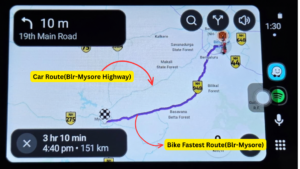 As shown in the image, the route is from Bangalore to Mysore. The app has selected the fastest motorcycle route while avoiding roads that are restricted to four-wheelers.
To cross-check, open Google Maps, search for the same route, and select Motorcycle as the mode of travel. You should see the same motorcycle-friendly route.
Other Motorcycle Navigation Apps
Waze isn’t the only option. There are dedicated motorcycle navigation apps such as Calimoto and OsmAnd, which offer additional navigation features designed for riders and flexibility to load and use GPX file
However, some of their advanced motorcycle navigation features are available through paid subscriptions or premium plans.
If you’re looking for a free and simple solution, Waze is a convenient option to try with your existing motorcycle navigation display.
It’s important to weigh the pros and cons of each app to determine which best suits your riding style and needs. Paid options may provide superior features or maps, but many riders find that free options like Waze meet their basic requirements effectively.
Why Motorcycle Mode Matters
Moreover, understanding your riding habits can influence your choice of navigation app. For example, if you frequently ride in urban environments, an app with strong real-time traffic capabilities may be more beneficial than one focused on off-road navigation.
Using the correct vehicle type isn’t just about finding the shortest route. A route that works perfectly for a car may include:
- Roads where motorcycles are restrictedBeing aware of these restrictions is particularly crucial during long rides through unfamiliar areas, where unexpected road closures or detours can lead to frustration if the navigation system isn’t tailored for motorcycles.
- Certain expressways or controlled-access roads
- Routes unsuitable or inaccessible to two-wheelers
- Road restrictions that apply specifically to motorcycles
For riders using a navigation display with Android Auto or Apple CarPlay, selecting Motorcycle in a compatible navigation app can therefore make your navigation more appropriate for two-wheelers.
Ultimately, leveraging motorcycle mode when using a navigation app not only enhances your journey but also promotes safer riding practices. By selecting the appropriate vehicle type, riders can ensure a more enjoyable and efficient experience on the road, significantly reducing the chances of encountering obstacles that could hinder their riding adventure.